Getting started with Promoosh
From installation to your first figures: the setup wizard, the checklist and where to find what.
Install and start the trial
Promoosh is installed from the Shopify App Store. The trial is 10 days and is handled by Shopify. After that, the subscription is 99 USD per month. Promoosh is available in Norwegian and English.
The setup wizard
The first time you sign in, you go through a short wizard: Store, Business type, Goal, Connect and Finish setup. Under “Connect”, the connections recommended for your type of business are shown first; the rest are under “Show more connections”. See Connect Google and Meta for the details.
The checklist
Checklist at the top of the app shows what is left before your figures are complete: missing connections, “Set costing method” and “Activate Consent Signal in theme”. These items affect the data Promoosh shows you, so it pays to finish them. The costing method is explained in Cost prices and fallback cost.
Where to find what
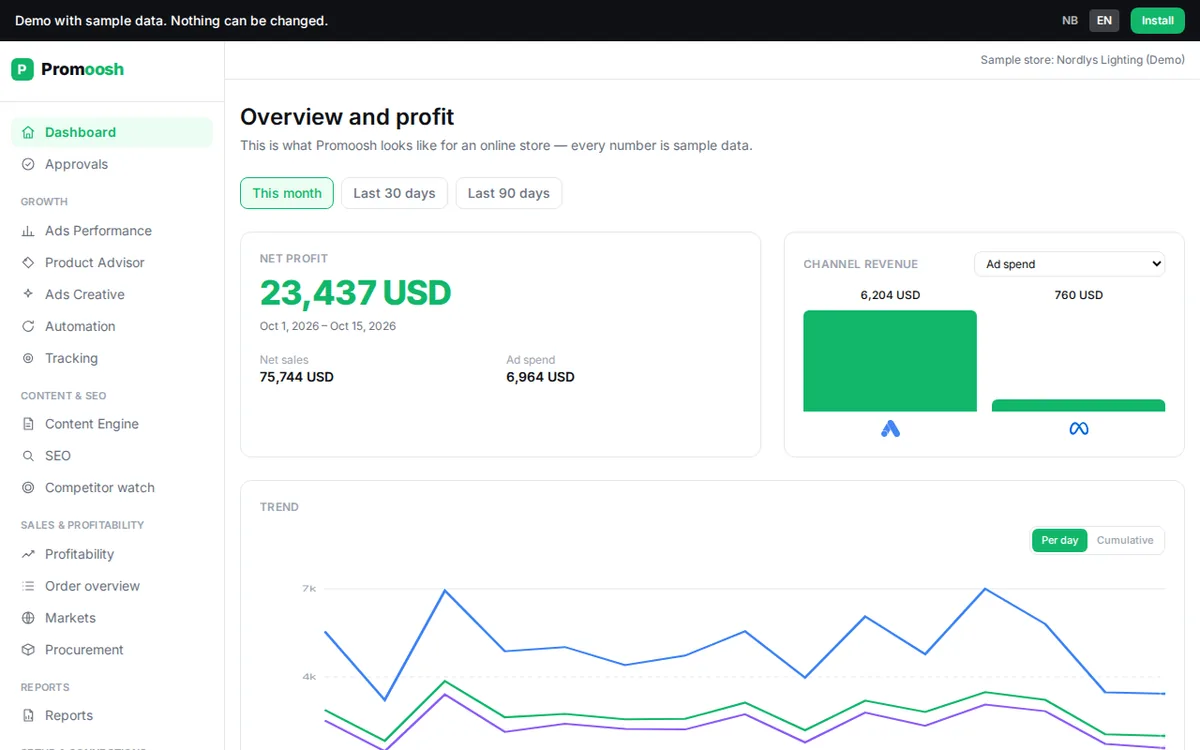
- Dashboard shows net profit, profit on ads (POAS), your channels and what needs your attention, including proposals waiting for approval.
- Profitability shows profit for the period, and Orders Overview shows it per order.
- Product Advisor shows sales, stock, cost of goods and profit per product. The Smart labels tab is explained in Smart labels.
- Ads Performance brings together campaigns, products and ads from Google Ads and Meta Ads.
- Reports lets you build your own report and export it to CSV. The weekly report is an AI-written summary delivered by email and in the app.
- Ask Promoosh is the chat button in the bottom right. It answers questions about your own figures, but changes nothing.
Team and multiple organizations
Under Settings → Account → Team, owners and admins can invite others by e-mail. Everyone you invite gets full access to the organization. If you belong to several organizations, for example as an agency with several clients, switch between them with Switch organization in the top bar. Each organization has its own connections, its own numbers and its own subscription.
Want to see the product before installing? Open the demo. It uses a fictional store with sample data.
Last reviewed 30 October 2026